> For the complete documentation index, see [llms.txt](https://panduan-sap.simplidots.id/llms.txt). Markdown versions of documentation pages are available by appending `.md` to page URLs; this page is available as [Markdown](https://panduan-sap.simplidots.id/sales-automation-platform/smh-sales-management-hub/stok/gudang/cara-menambahkan-gudang-manual.md).
# Cara Menambahkan Gudang (Manual)
Untuk menambahkan data gudang secara manual.
### Cara Menambahkan Gudang (Manual)
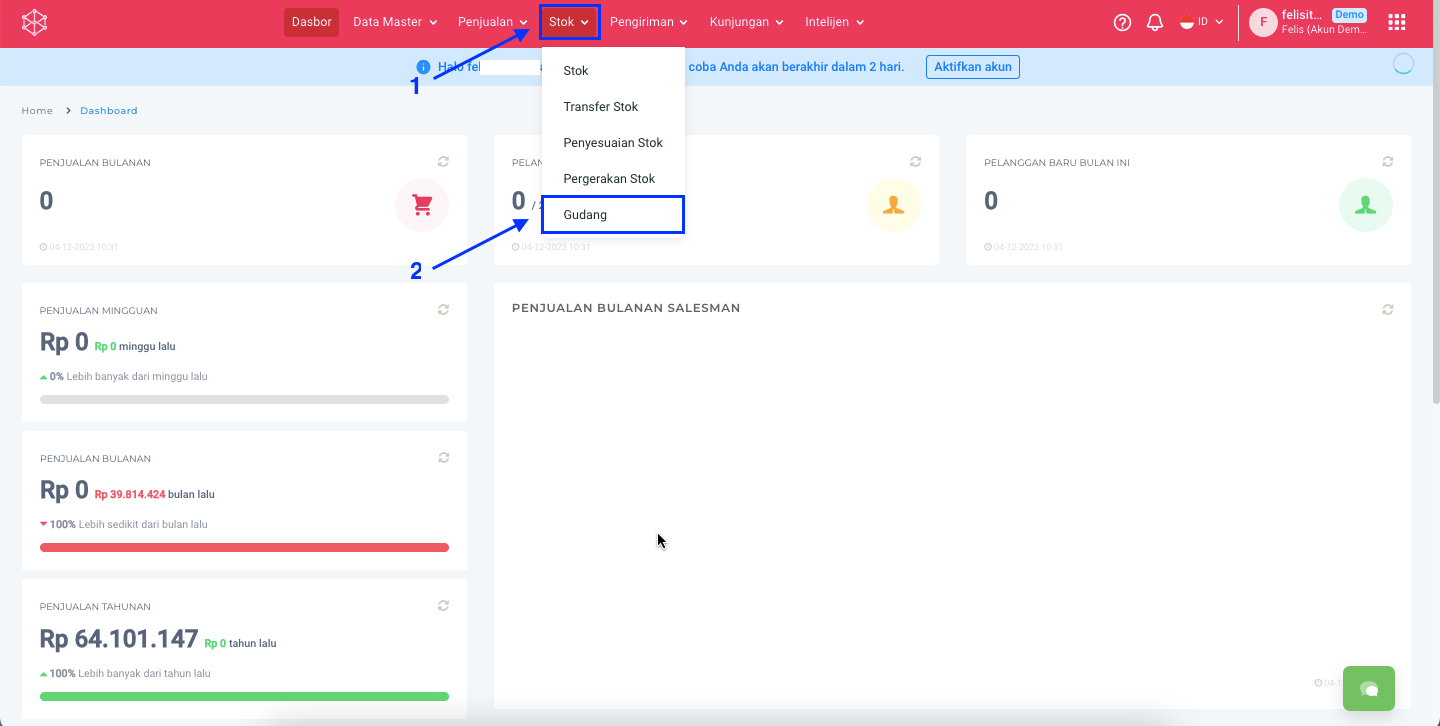
**Step 1:** Masuk ke menu **Stok > Gudang.**
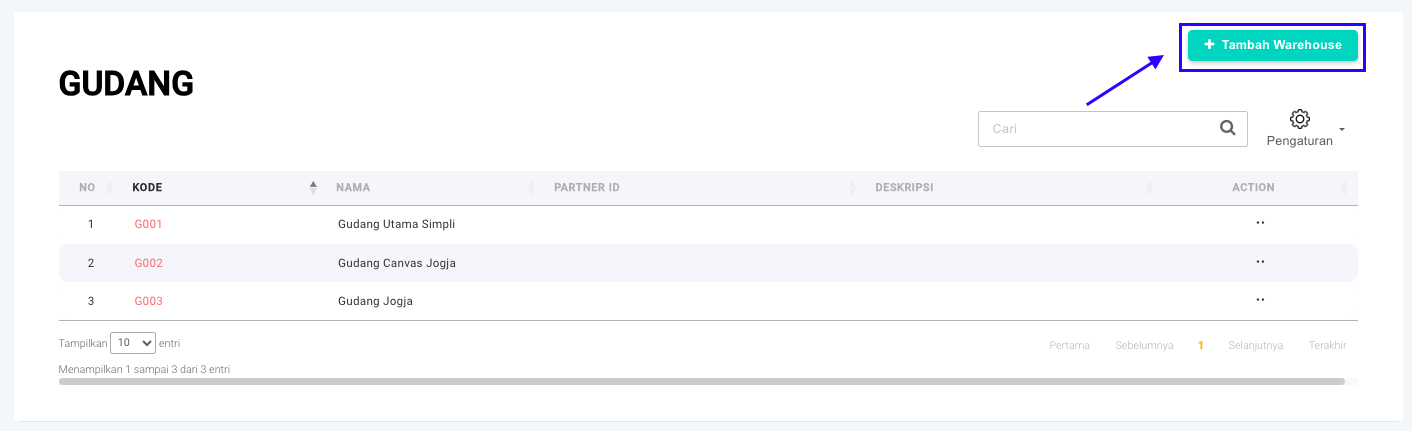
**Step 2:** Klik **Tambah Warehouse** untuk menambah gudang baru.
**Step 3:** Lengkapi data gudang berikut:
{% hint style="info" %}
* **Kode :** Kode gudang.
* **Nama :** Nama gudang.
* **Latitude :** Titik koordinat garis lintang lokasi gudang.
* **Longitude :** Titik koordinat garis bujur lokasi gudang.
* **Alamat Lengkap:** Alamat lengkap lokasi gudang.
* **Deskripsi :** Deskripsi mengenai gudang.
* **Armada Kembali ke Gudang:** Apabila armada ingin diset agar kembali ke gudang tersebut, maka dapat dichecklist “**Armada Kembali ke Gudang**”.
{% endhint %}
{% hint style="info" %}
Pilihan dengan Tanda **(\*)** wajib diisi.
{% endhint %}
**Step 4:** Klik tombol **Simpan**.
**Step 5:** Data dinyatakan tersimpan apabila Anda diarahkan kembali ke halaman **Gudang** dan muncul pop up notifikasi **Data saved successfully.**

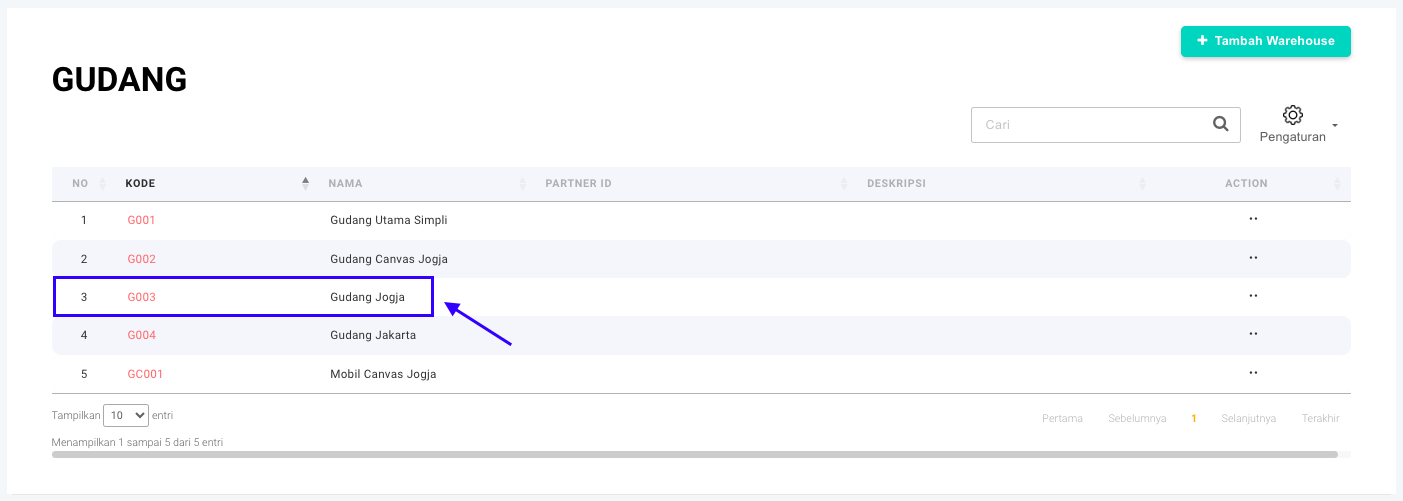
**Step 6:** Data yang tersimpan akan muncul di halaman **Gudang**.Gudang yang telah dibuat akan muncul di tabel **Gudang**.
Silakan dicoba, Kawan Simpli! :)