> For the complete documentation index, see [llms.txt](https://panduan-sap.simplidots.id/llms.txt). Markdown versions of documentation pages are available by appending `.md` to page URLs; this page is available as [Markdown](https://panduan-sap.simplidots.id/sales-automation-platform/smh-sales-management-hub/stok/gudang/cara-ekspor-gudang.md).
# Cara Ekspor Gudang
Untuk Mengekspor Gudang di lakukan melalui 2 cara, yakni: Ekspor Ke CSV Ekspor Ke Excel.
### Cara Ekspor Gudang
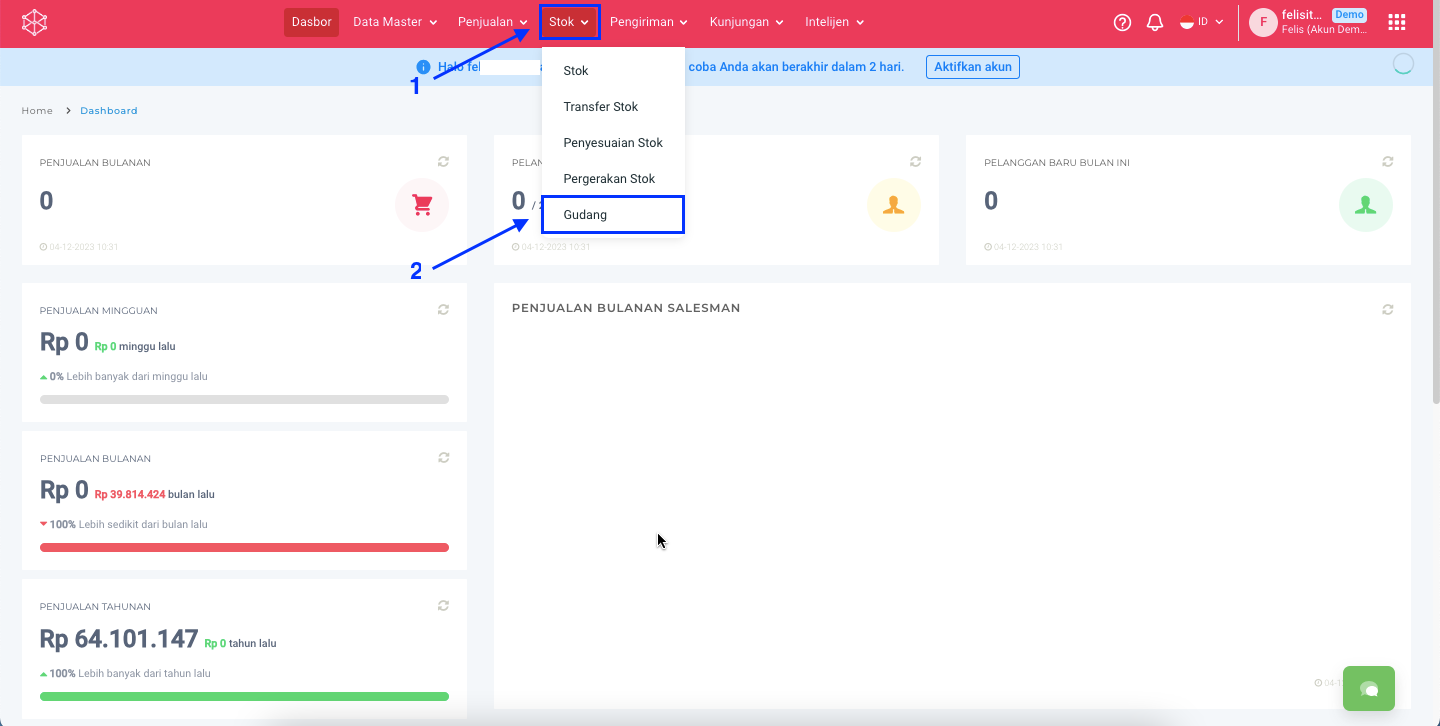
**Step 1:** Masuk ke menu **Stok > Gudang.**
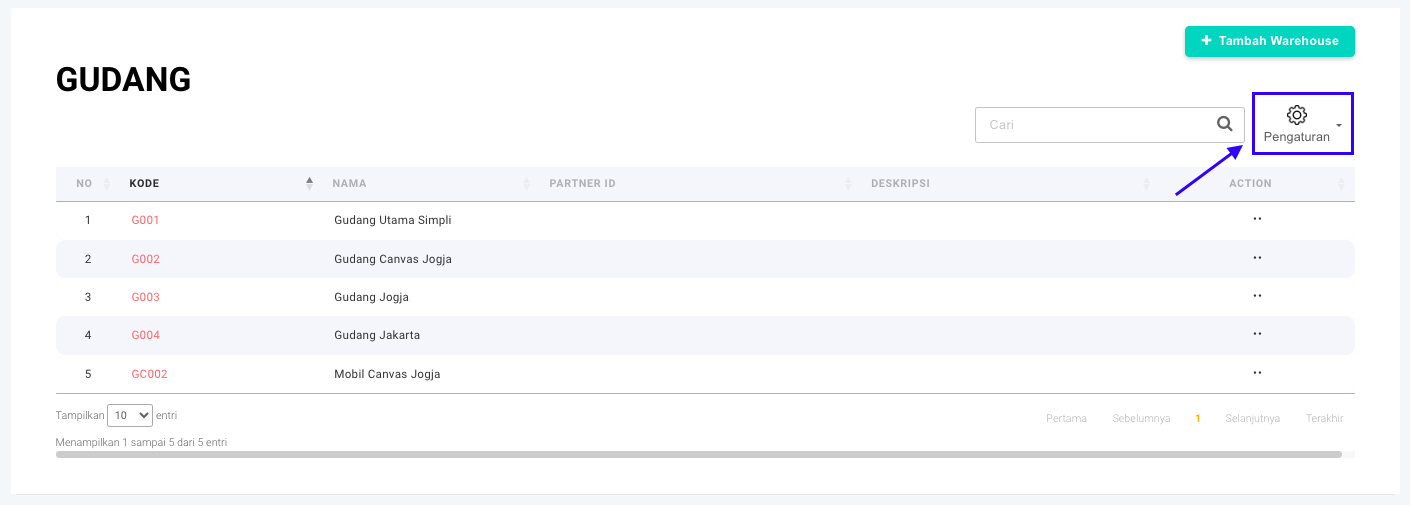
**Step 2:** Klik tombol **Pengaturan.**
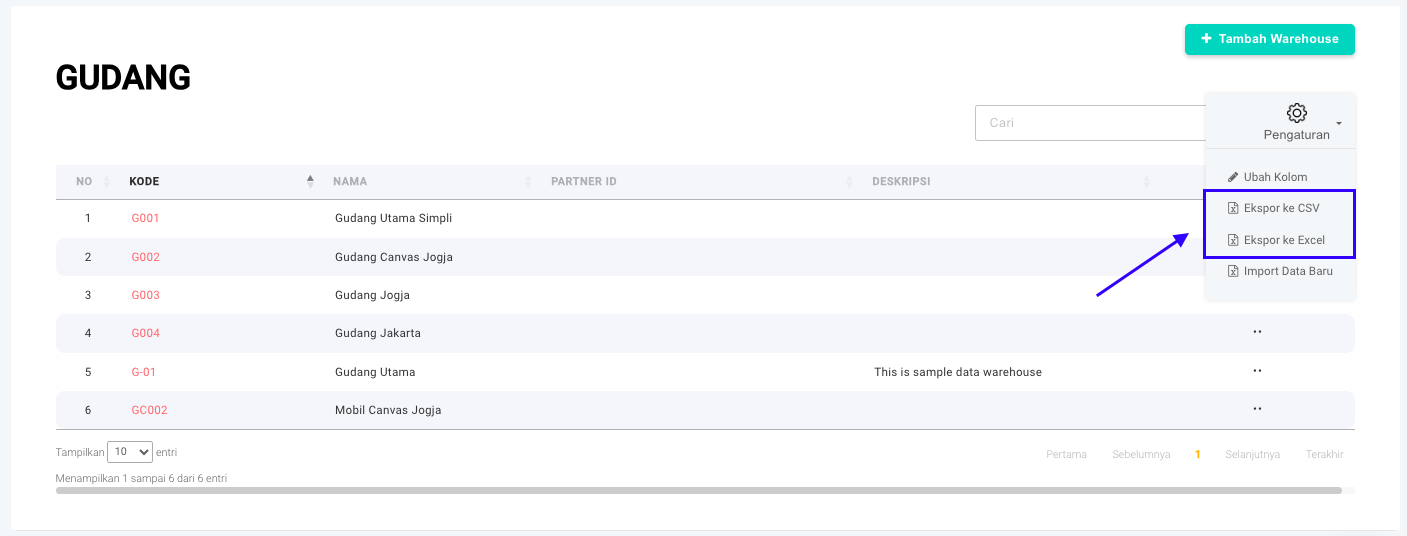
**Step 3:** Klik tombol **Export ke CSV** atau **Export ke Excel**.
{% hint style="info" %}
Untuk mengunduh data bisa memilih antar 2 tipe file:
* **Comma Separated Values atau CSV:** Format file teks yang berisi daftar data yang dipisahkan dengan tanda koma (, ) atau titik koma (;).
* **Excel:** Format XLSX adalah format file yang digunakan oleh Microsoft Excel untuk menyimpan data spreadsheet.
{% endhint %}
**Step 4:** File yang berhasil terunduh akan tersimpan file laptop atau komputer Anda.
Silakan dicoba, Kawan Simpli! :)