> For the complete documentation index, see [llms.txt](https://panduan-sap.simplidots.id/llms.txt). Markdown versions of documentation pages are available by appending `.md` to page URLs; this page is available as [Markdown](https://panduan-sap.simplidots.id/sales-automation-platform/smh-sales-management-hub/pengiriman/surat-jalan/cara-mencetak-dokumen-surat-jalan.md).
# Cara Mencetak Dokumen Surat Jalan
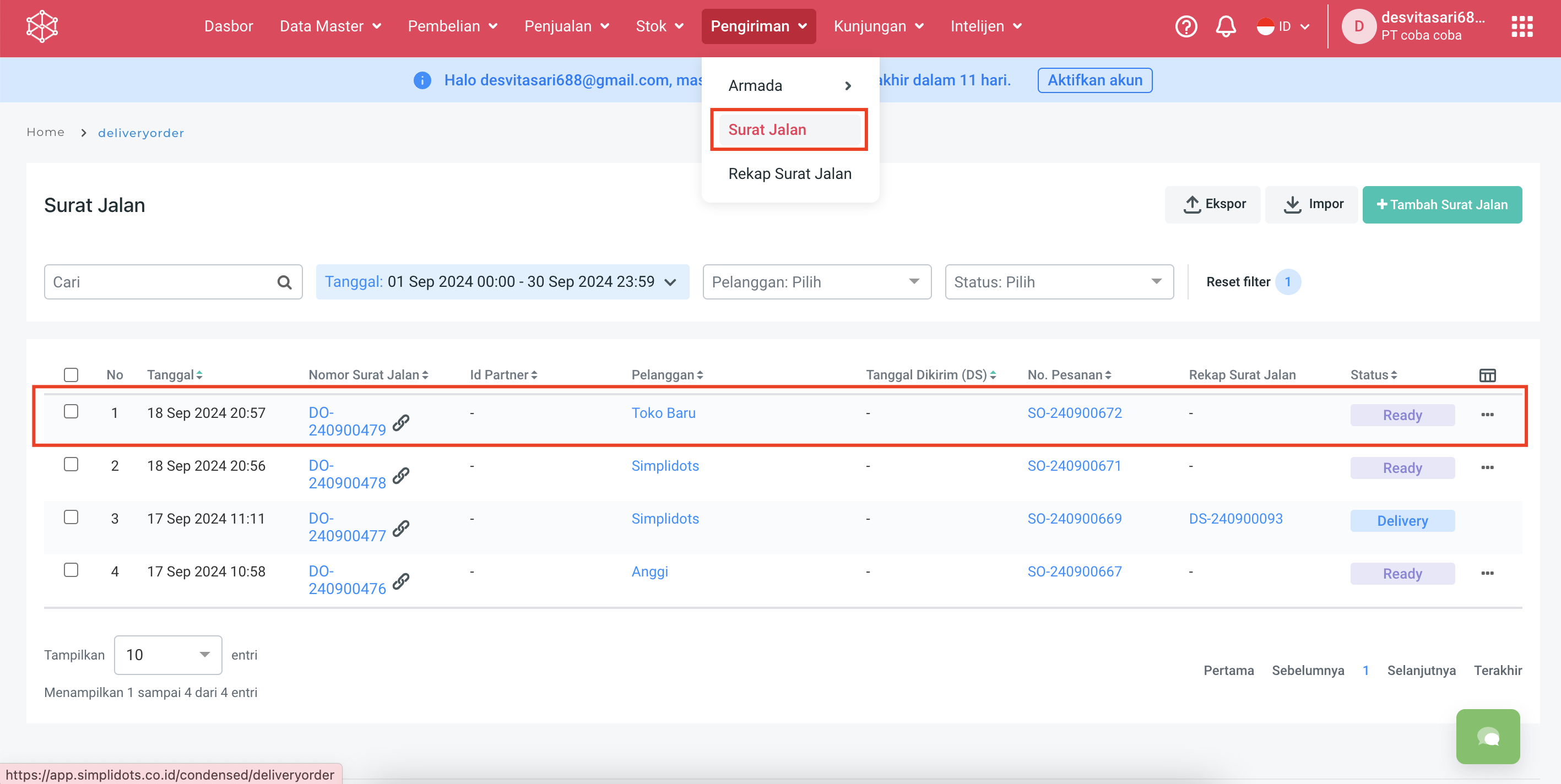
**Step 1.** Buka menu **Pengiriman**.
**Step 2.** Pilih **Surat Jalan**.
**Step 3.** Cari dan pilih nomor surat jalan yang ingin dicetak.\
Contoh : DO-240900479
**Step 4.** Pilih **Cetak** pada detail surat jalan.
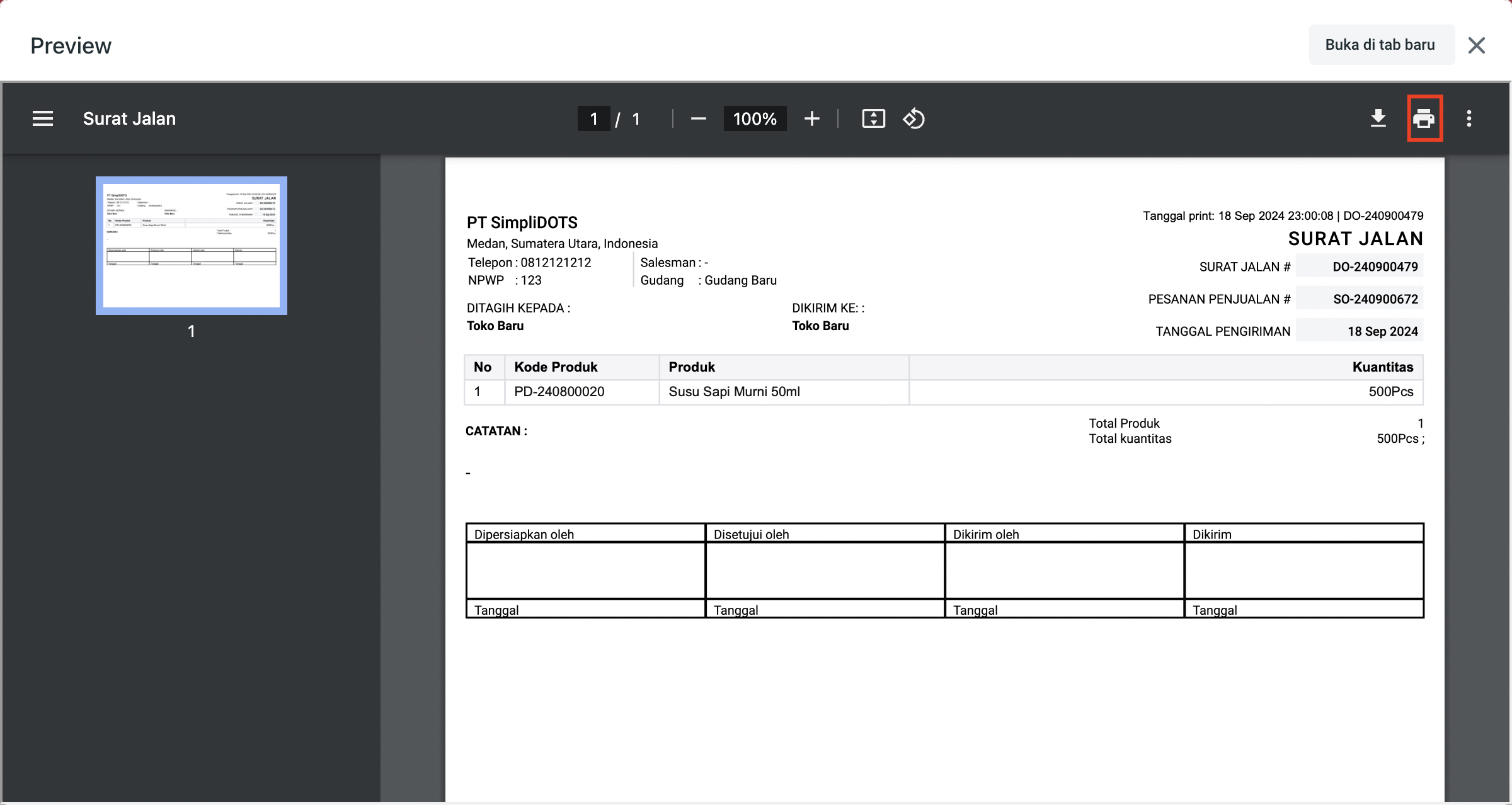
**Step 5.** Pilih ikon **Printer** jika ingin langsung dicetak pada tampilan preview dokumen surat jalan.
Pastikan, printer kamu sudah terhubung ya, Kawan Simpli!
Selamat mencoba :).