> For the complete documentation index, see [llms.txt](https://panduan-sap.simplidots.id/llms.txt). Markdown versions of documentation pages are available by appending `.md` to page URLs; this page is available as [Markdown](https://panduan-sap.simplidots.id/sales-automation-platform/smh-sales-management-hub/pengiriman/surat-jalan/cara-membatalkan-surat-jalan-delivery-order.md).
# Cara Membatalkan Surat Jalan (Delivery Order)
Untuk membatalkan surat jalan atau Delivery Order, Anda dapat mengikuti langkah-langkah berikut ini:
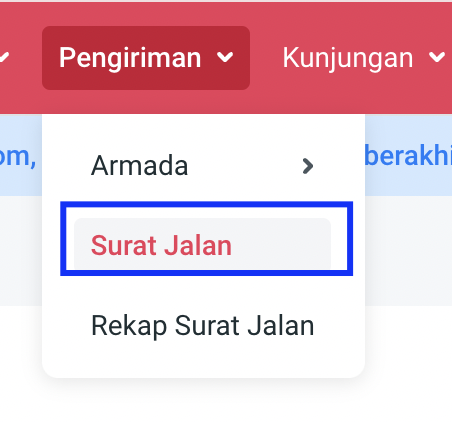
**Step 1.** Buka menu **Pengiriman**.
**Step 2.** Pilih **Surat Jalan**.
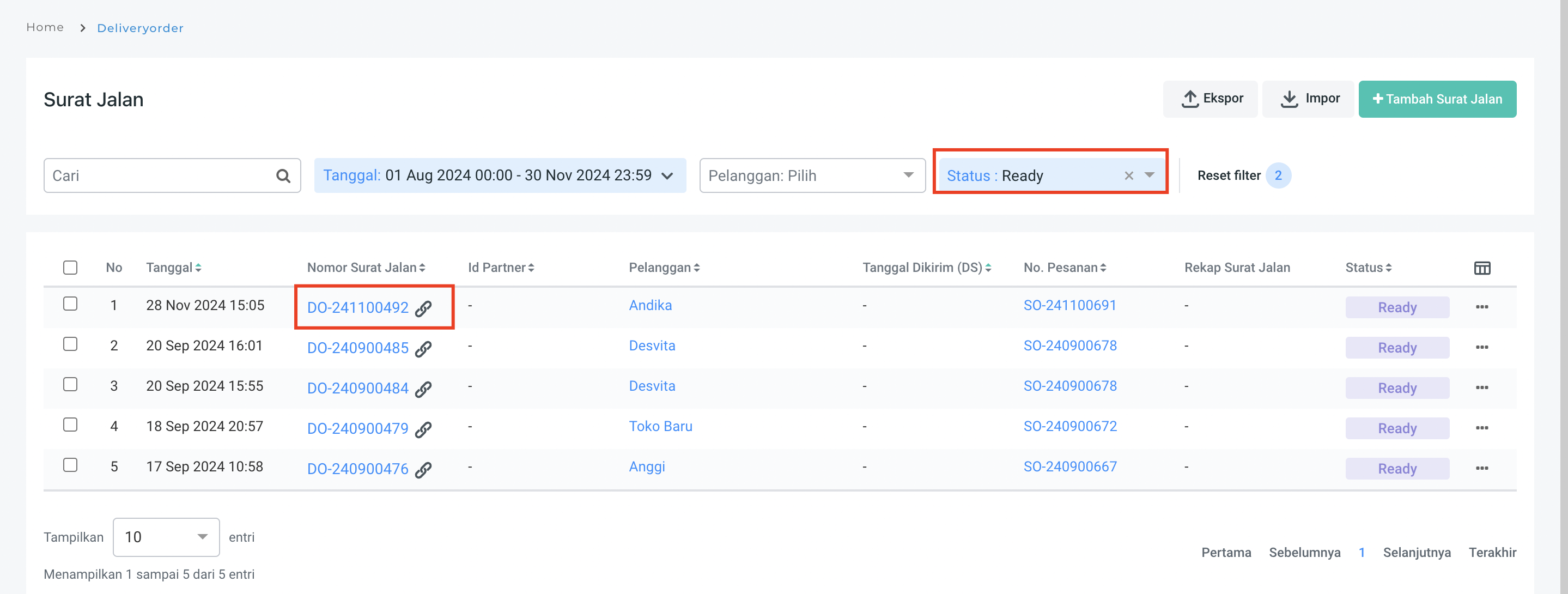
**Step 3.** Filter status **Ready**.
**Step 4.** Pilih nomor dokumen **DO** yang ingin dibatalkan.
Contoh : DO-241100492
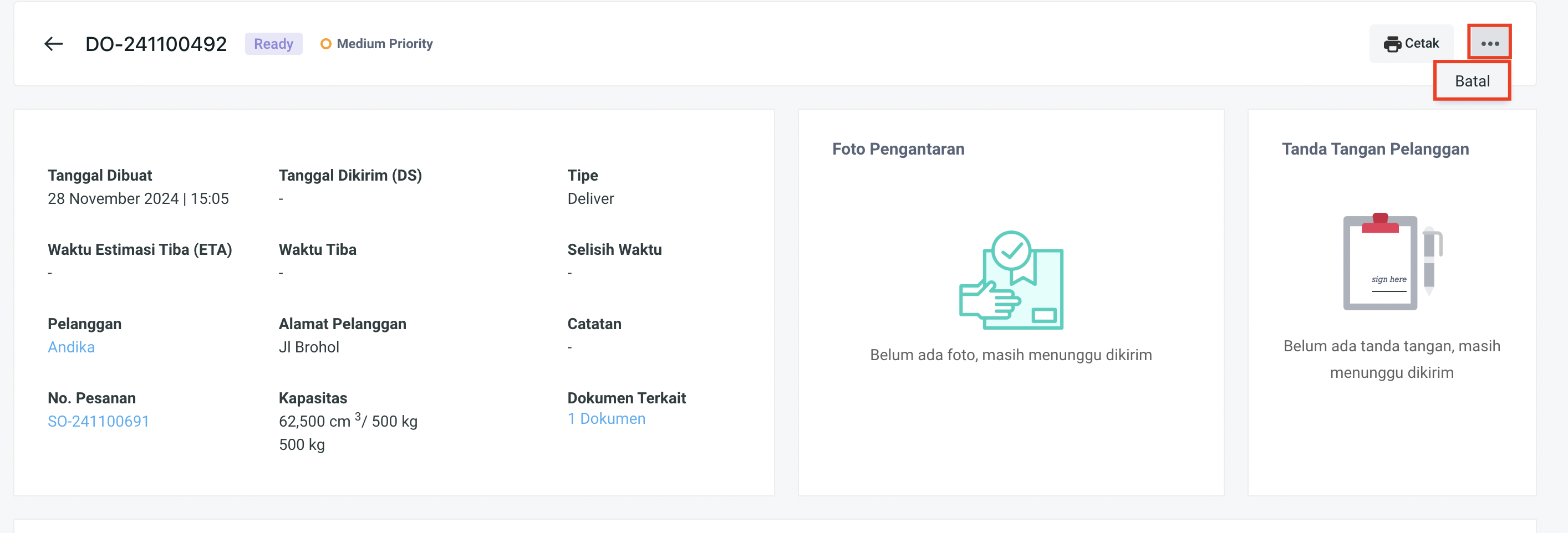
**Step 5.** Pilih **Cancel** pada titik tiga kanan atas.
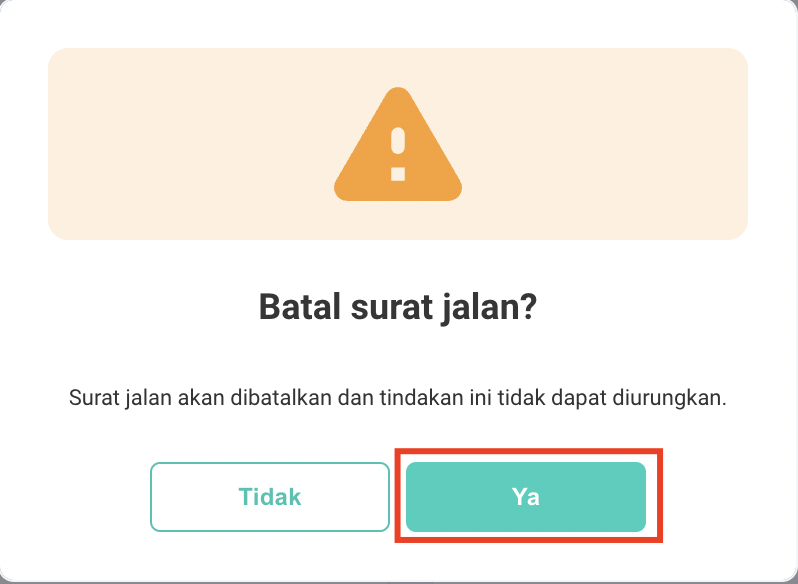
**Step 6.** Pilih **Ya** pada pesan konfirmasi "Batal surat jalan?".
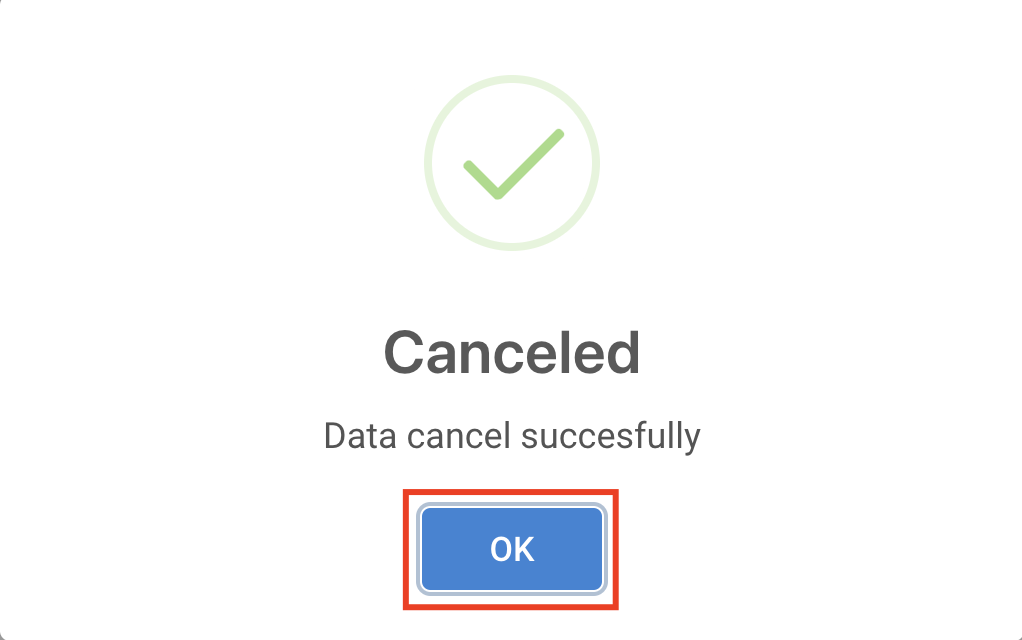
**Step 7.** Pilih **OK** jika surat jalan berhasil dibatalkan seperti *popup* *message* berikut.
{% hint style="info" %}
**Note**:
1. Hanya surat jalan berstatus **Ready** dan tidak terikat dengan invoice maupun DS yang dapat dibatalkan.
2. Jika Anda ingin membatalkan surat jalan berstatus **Ready** namun masih terikat dengan **invoice**, maka Anda harus membatalkan Invoice terlebih dahulu dengan cara [klik disini.](/sales-automation-platform/smh-sales-management-hub/penjualan/faktur/cara-membatalkan-sales-invoice.md)\

3. Jika Anda ingin membatalkan surat jalan yang berstatus **Delivery, Delivered** atau **Completed**, maka Anda harus membatalkan **Delivery Summary** terlebih dahulu dengan cara [klik disini.](/sales-automation-platform/smh-sales-management-hub/pengiriman/rekap-surat-jalan/cara-membatalkan-rekap-surat-jalan.md)
{% endhint %}