> For the complete documentation index, see [llms.txt](https://panduan-sap.simplidots.id/llms.txt). Markdown versions of documentation pages are available by appending `.md` to page URLs; this page is available as [Markdown](https://panduan-sap.simplidots.id/sales-automation-platform/smh-sales-management-hub/pengiriman/armada/cara-menambahkan-armada.md).

# Cara Menambahkan Armada

### Cara Menambahkan Armada

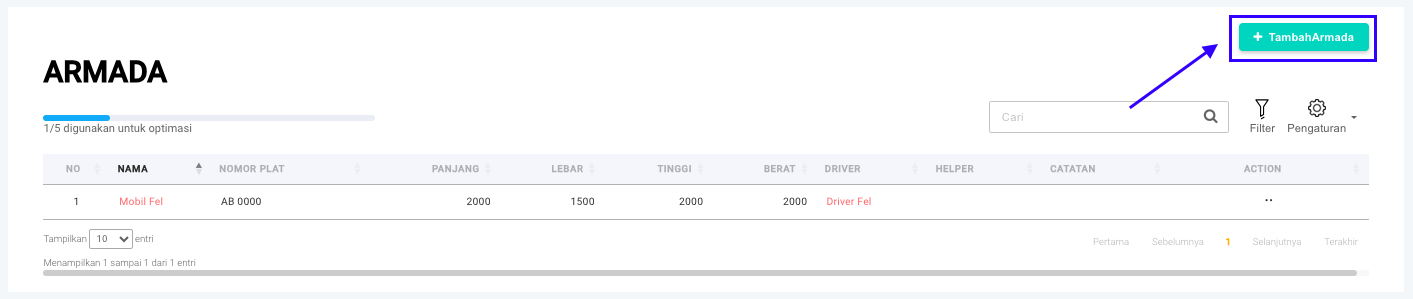
**Step 1:** Buka menu **Pengiriman > Armada > Master Armada.**

<figure><img src="/files/yTHpF7QMVjfQYi1QX4uQ" alt=""><figcaption></figcaption></figure>

**Step 2:** Klik tombol **+ Tambah Armada**.

<figure><img src="/files/uhycAQ0u7dkQYFFQyqCA" alt=""><figcaption></figcaption></figure>

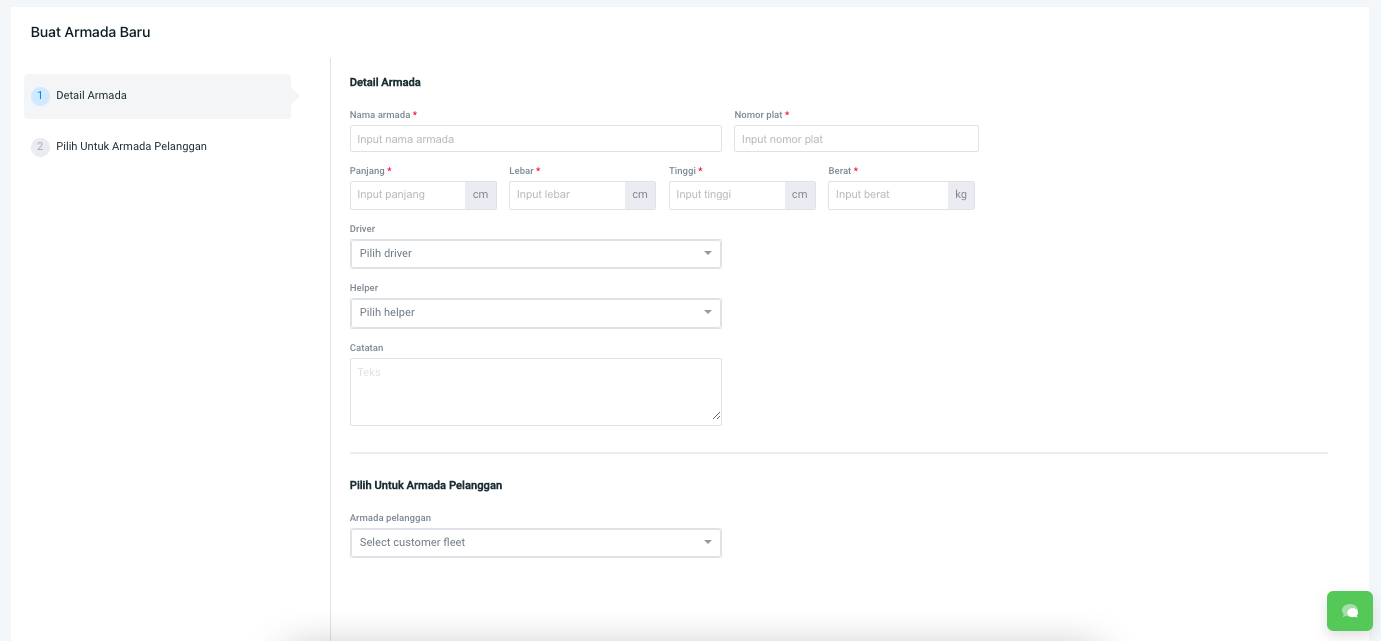
**Step 3:** Akan masuk ke halaman **Buat Armada Baru**.

<figure><img src="/files/Ua5IgqDzABel9CW4gTyO" alt=""><figcaption></figcaption></figure>

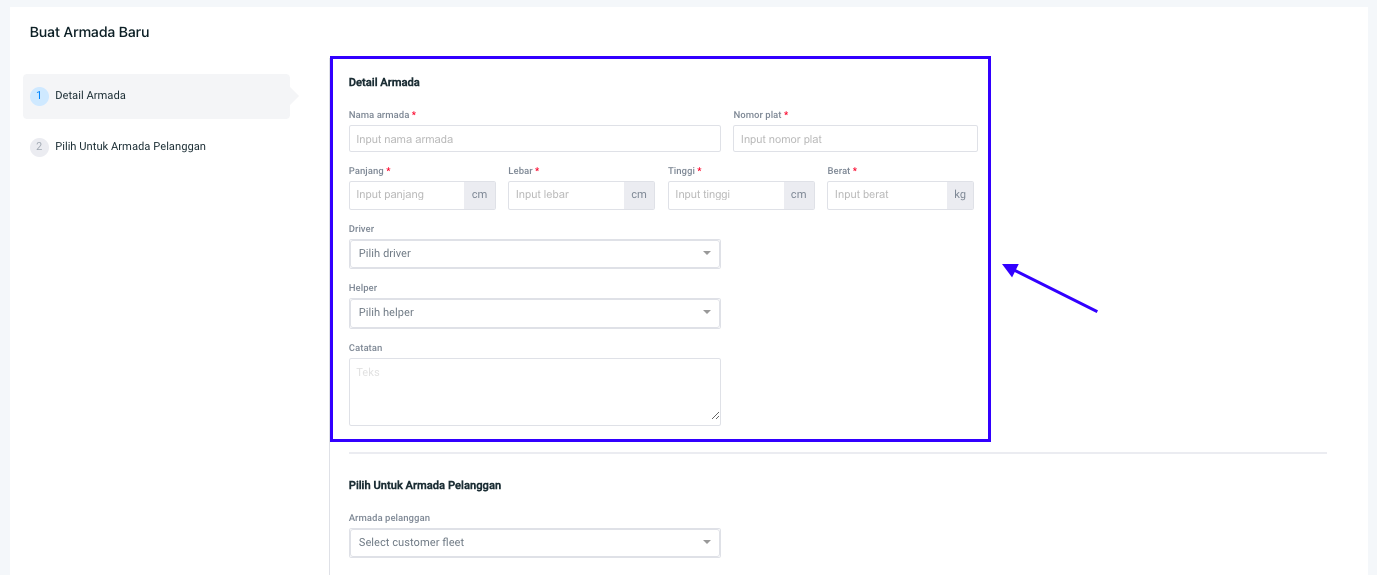
**Step 4:** Silakan isi **Detail Armada**.

<figure><img src="/files/mlnvnRn4P4umlu9fDmcx" alt=""><figcaption></figcaption></figure>

{% hint style="info" %}
**Detail Armada**:&#x20;

* <mark style="color:red;">**\***</mark>**Nama Armada:** Nama armada/kendaraan yang digunakan untuk mengirimkan pesanan ke pelanggan.
* <mark style="color:red;">**\***</mark>**Nomor plat:** Nomor plat armada/kendaraan.
* <mark style="color:red;">**\***</mark>**Panjang:** Panjang armada/kendaraan dalam senti meter.
* <mark style="color:red;">**\***</mark>**Lebar:** Lebar armada/kendaraan dalam senti meter.
* <mark style="color:red;">**\***</mark>**Tinggi:** Tinggi armada/kendaraan dalam senti meter.
* <mark style="color:red;">**\***</mark>**Berat:** Berat armada/kendaraan dalam kilo gram.
* **Driver:** Nama supir yang akan membawa armada/kendaraan.
* **Helper:** Nama kernek yang membantu supir.
* **Catatan:** Catatan mengenai armada/kendaraan.

\
**Note:** Tanda (<mark style="color:red;">**\***</mark>) artinya **wajib diisi**.
{% endhint %}

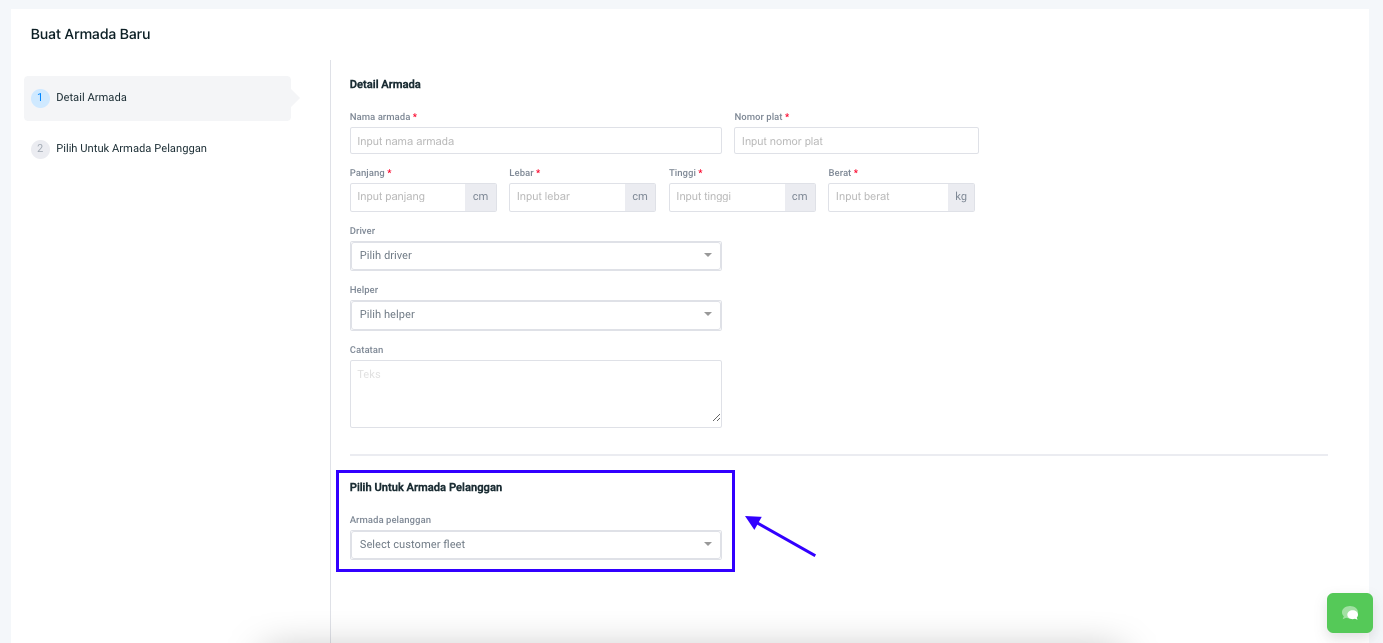
**Step 5:** Silakan isi **Pilih Untuk Armada Pelanggan**.

<figure><img src="/files/G99QLPC6ULEmSwJel17N" alt=""><figcaption></figcaption></figure>

{% hint style="info" %}
**Pilih Untuk Armada Pelanggan:**

* **Armada Pelanggan:** Pilih armada khusus pelanggan tertentu.
  {% endhint %}

**Step 6:** Kemudian pilih **Simpan** atau **Simpan & Baru.**

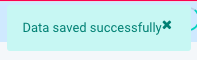
**Step 7**: Armada berhasil tersimpan jika muncul popup notifikasi **Data saved successfully.**&#x20;

<figure><img src="/files/sEs0Yl2Ivk7i03ss0RQk" alt=""><figcaption></figcaption></figure>

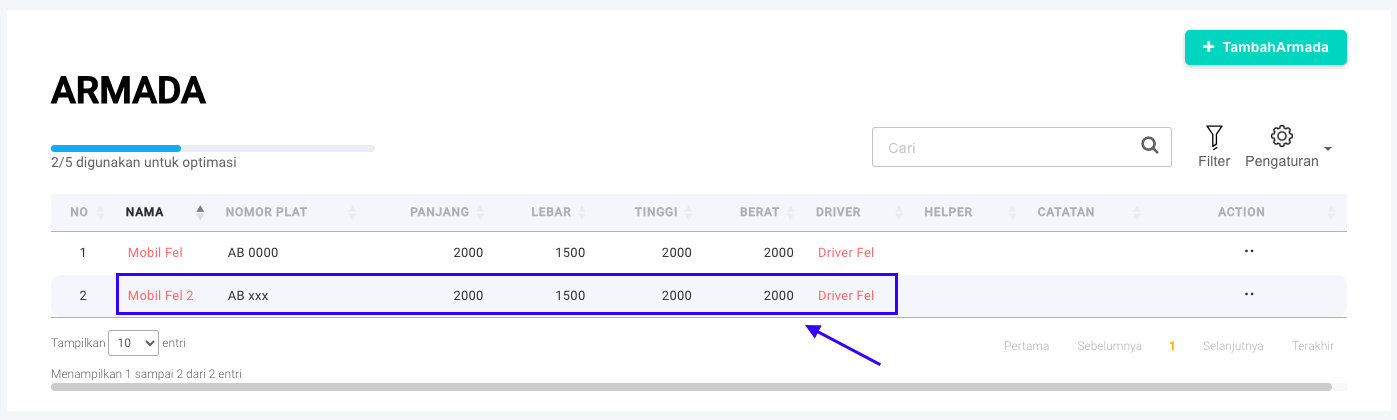
**Step 8: Armada** yang baru saja dibuat akan muncul pada halaman **Armada.**

<figure><img src="/files/DKEFWoE0YMQkdxnzDRqf" alt=""><figcaption></figcaption></figure>

Selamat mencoba, Kawan Simpli :)&#x20;


---

# Agent Instructions
This documentation is published with GitBook. GitBook is the documentation platform designed so that both humans and AI agents can read, navigate, and reason over technical content effectively. Learn more at gitbook.com.

## Querying This Documentation
If you need additional information that is not directly available in this page, you can query the documentation dynamically by asking a question.

Perform an HTTP GET request on the current page URL with the `ask` query parameter, and the optional `goal` query parameter:

```
GET https://panduan-sap.simplidots.id/sales-automation-platform/smh-sales-management-hub/pengiriman/armada/cara-menambahkan-armada.md?ask=<question>&goal=<endgoal>
```

`ask` is the immediate question: it should be specific, self-contained, and written in natural language.
`goal` is optional and describes the broader end goal you are ultimately trying to accomplish on behalf of the user. GitBook uses it to tailor the answer towards what is most useful for that goal.

The response will contain a direct answer to the question and relevant excerpts and sources from the documentation.

Use this mechanism when the answer is not explicitly present in the current page, you need clarification or additional context, or you want to retrieve related documentation sections.