# Cara Mengaktifkan Pembatasan Limit Jatuh Tempo (Overdue Limit)

{% stepper %}
{% step %}
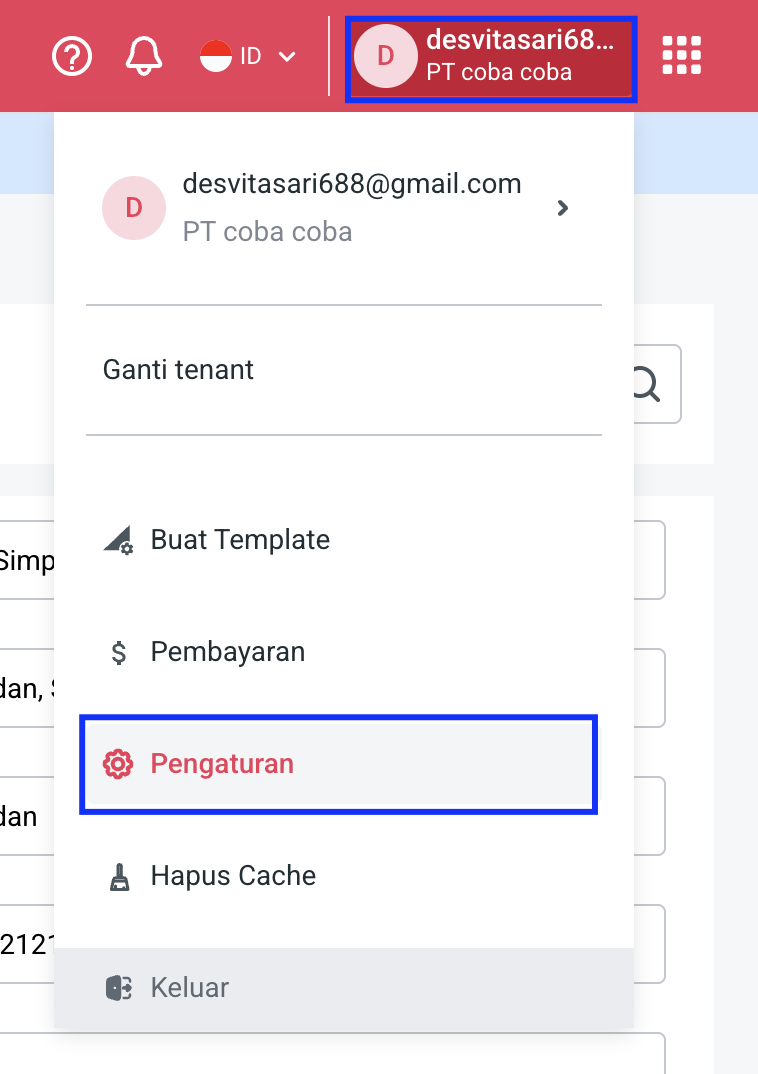
Buka menu Pengaturan.

1. Buka menu **Profil**.
2. Pilih **Pengaturan**.<br>

   <figure><img src="https://3837174706-files.gitbook.io/~/files/v0/b/gitbook-x-prod.appspot.com/o/spaces%2F-ML6LhsHx5TJpV4GOuvJ%2Fuploads%2FO29G9w8aZSZ4ySENJUHk%2Fimage.png?alt=media&#x26;token=7b66643f-e71f-42aa-95a5-274856f1c095" alt="" width="375"><figcaption></figcaption></figure>

{% endstep %}

{% step %}

### Pilih tab Pelanggan

{% endstep %}

{% step %}

### Aktifkan Pembatasan Limit Jatuh Tempo
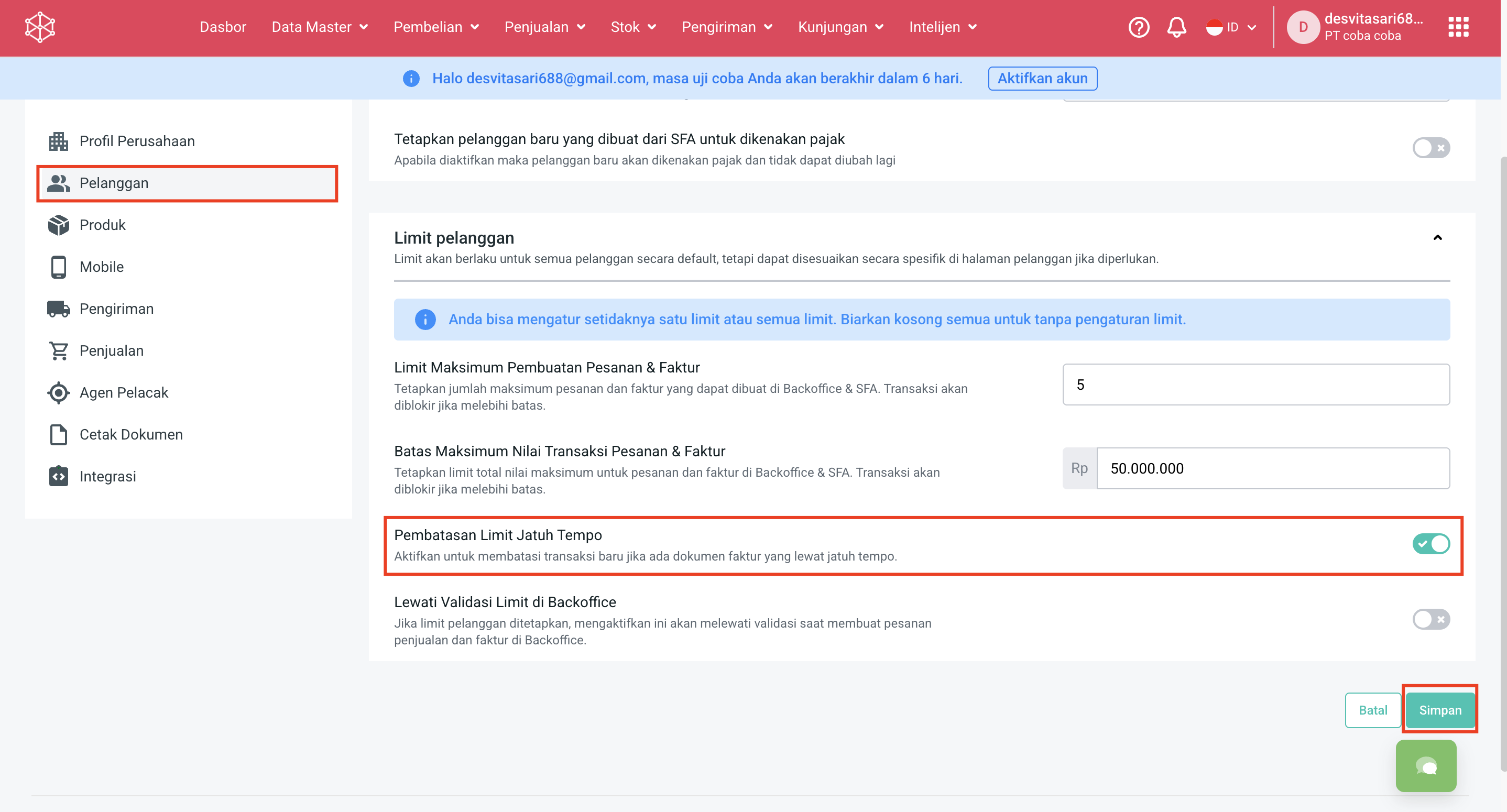
<figure><img src="https://3837174706-files.gitbook.io/~/files/v0/b/gitbook-x-prod.appspot.com/o/spaces%2F-ML6LhsHx5TJpV4GOuvJ%2Fuploads%2FqocSE4WYmefH6kqATowH%2Fimage.png?alt=media&#x26;token=ae5e8d20-d3af-4af2-8396-54b5a0011c81" alt=""><figcaption></figcaption></figure>
{% endstep %}

{% step %}

### Kemudian Simpan.

<figure><img src="https://3837174706-files.gitbook.io/~/files/v0/b/gitbook-x-prod.appspot.com/o/spaces%2F-ML6LhsHx5TJpV4GOuvJ%2Fuploads%2FfIPfEkAnDPloOIM7MTmy%2Fimage.png?alt=media&#x26;token=fe01d58a-32ed-4aca-a8d6-0ca3dc4efb18" alt=""><figcaption></figcaption></figure>
{% endstep %}
{% endstepper %}