# Cara Mengubah Employee Route Plan (Rencana Rute Salesman)

### Cara Mengubah Employee Route Plan (Rencana Rute Salesman)

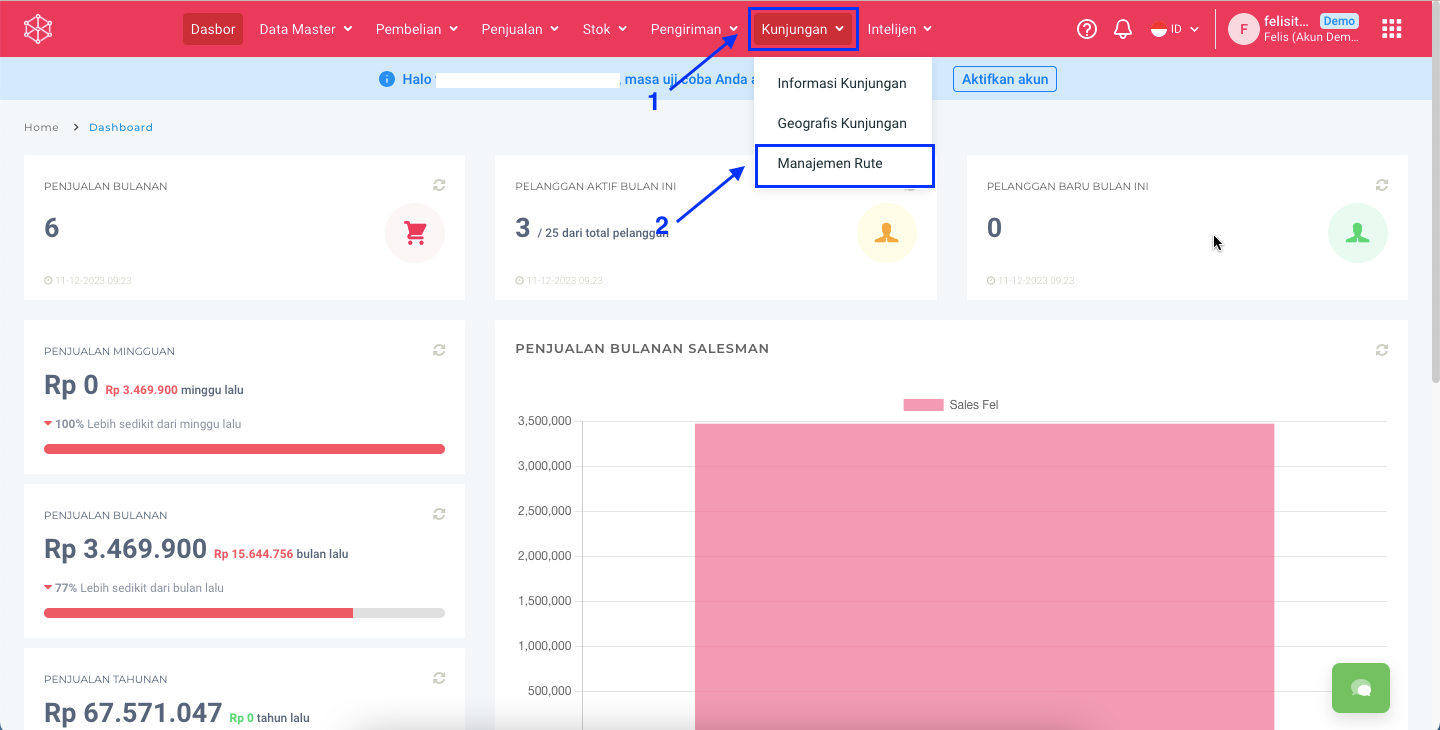
**Step 1:** Masuk ke menu **Kunjungan** > **Management Rute.**

<figure><img src="https://3837174706-files.gitbook.io/~/files/v0/b/gitbook-x-prod.appspot.com/o/spaces%2F-ML6LhsHx5TJpV4GOuvJ%2Fuploads%2Fct4yMi842hql9N3V5m99%2Fimage.png?alt=media&#x26;token=6fd76dd9-517b-4935-ac95-e4e529557346" alt=""><figcaption></figcaption></figure>

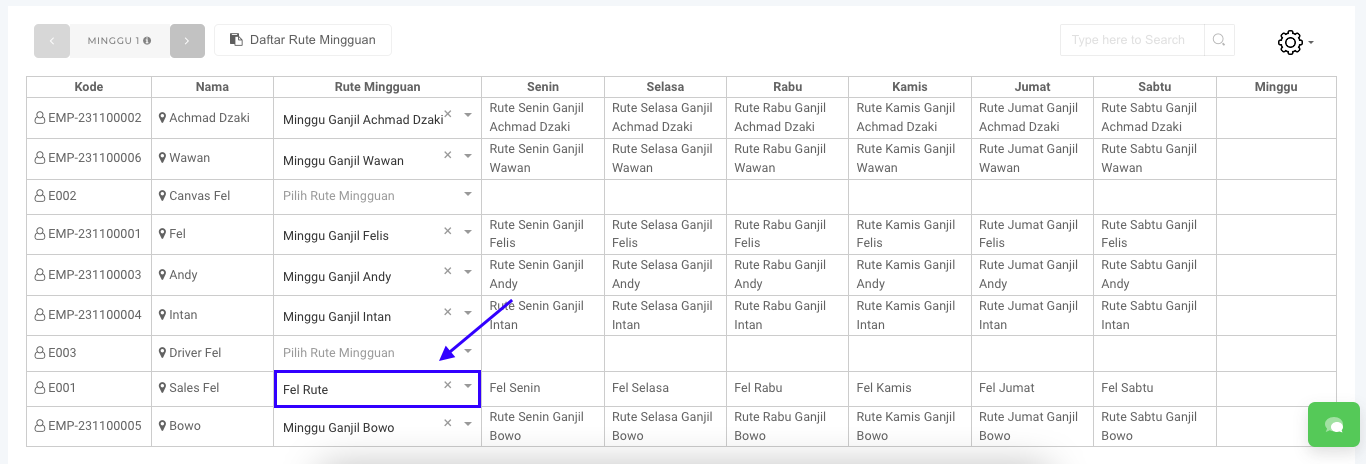
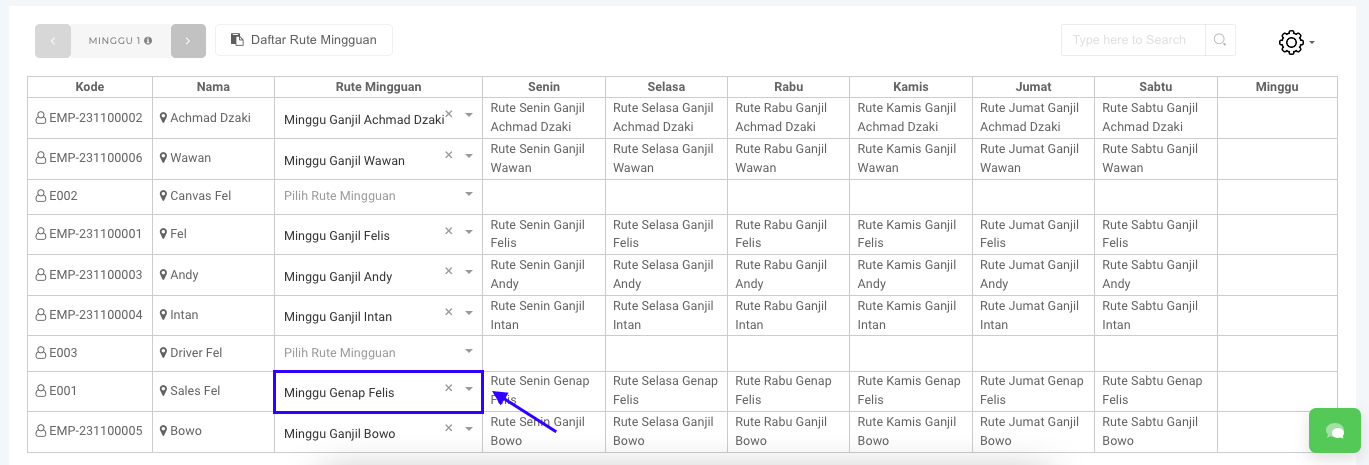
**Step 2:** Pada **Daftar Rute Mingguan**. Cari dan pilih **Rute Mingguan** yang akan diubah.

<figure><img src="https://3837174706-files.gitbook.io/~/files/v0/b/gitbook-x-prod.appspot.com/o/spaces%2F-ML6LhsHx5TJpV4GOuvJ%2Fuploads%2Ft1wmj1UfSqHslDu5KqXv%2FScreenshot%202023-12-11%20at%2011.45.20.png?alt=media&#x26;token=9b34080a-58d0-46ce-a502-502caff61807" alt=""><figcaption></figcaption></figure>

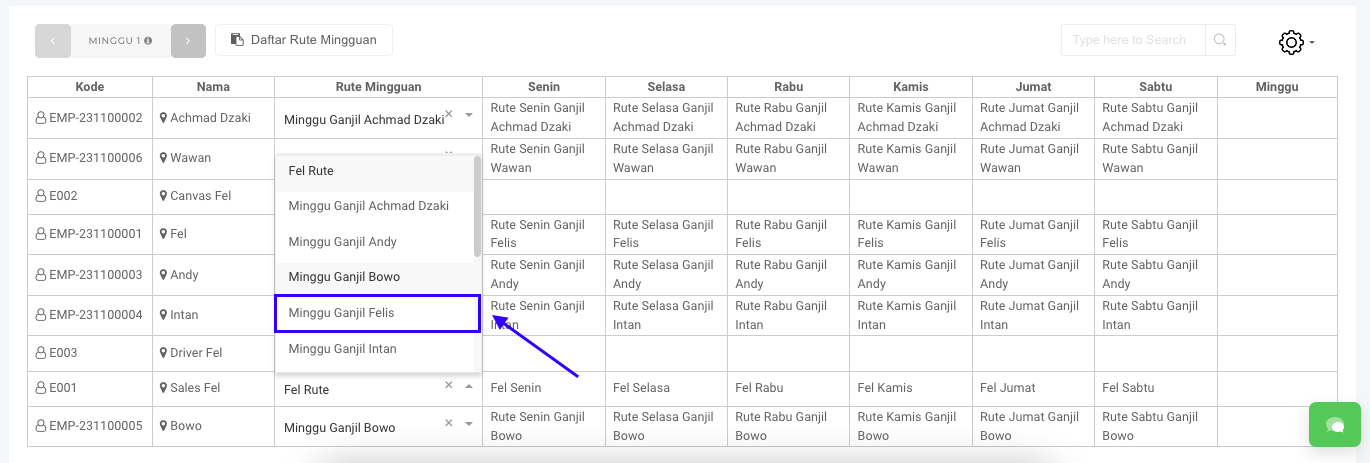
**Step 3:** Pilih **Route** yang baru.

<figure><img src="https://3837174706-files.gitbook.io/~/files/v0/b/gitbook-x-prod.appspot.com/o/spaces%2F-ML6LhsHx5TJpV4GOuvJ%2Fuploads%2Fn7SJlBURv7aBKbNWnDpL%2FScreenshot%202023-12-11%20at%2011.47.06.png?alt=media&#x26;token=06cf0327-93bc-4699-b5ce-77ea62cad24b" alt=""><figcaption></figcaption></figure>

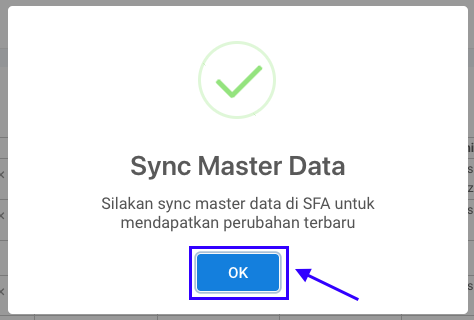
**Step 4:** Akan mncul pop up **Sync Master Data** kemudian klik tombol **OK.**

<figure><img src="https://3837174706-files.gitbook.io/~/files/v0/b/gitbook-x-prod.appspot.com/o/spaces%2F-ML6LhsHx5TJpV4GOuvJ%2Fuploads%2FW6OSFHbLvoryDzaFqPxe%2FScreenshot%202023-12-11%20at%2011.48.11.png?alt=media&#x26;token=0006c419-fee0-449b-b16e-58406df8e302" alt=""><figcaption></figcaption></figure>

**Step 5:** Data **Route Mingguan** telah terupdate.

<figure><img src="https://3837174706-files.gitbook.io/~/files/v0/b/gitbook-x-prod.appspot.com/o/spaces%2F-ML6LhsHx5TJpV4GOuvJ%2Fuploads%2FCP8beMu9kJbQIlRkZZzs%2FScreenshot%202023-12-11%20at%2011.50.29.png?alt=media&#x26;token=f86de99a-e798-4c4f-9715-c9406bc55383" alt=""><figcaption></figcaption></figure>

Selamat mencoba, Kawan Simpli :)&#x20;