> For the complete documentation index, see [llms.txt](https://panduan-sap.simplidots.id/llms.txt). Markdown versions of documentation pages are available by appending `.md` to page URLs; this page is available as [Markdown](https://panduan-sap.simplidots.id/sales-automation-platform/smh-sales-management-hub/kunjungan/manajemen-rute/cara-menghapus-perancangan-rute-rute-harian.md).
# Cara Menghapus Perancangan Rute (Rute Harian)
Untuk menghapus perancangan rute (rute harian).
### Cara Menghapus Perancangan Rute (Rute Harian)
**Step 1:** Masuk ke menu **Kunjungan** > **Management Rute.**
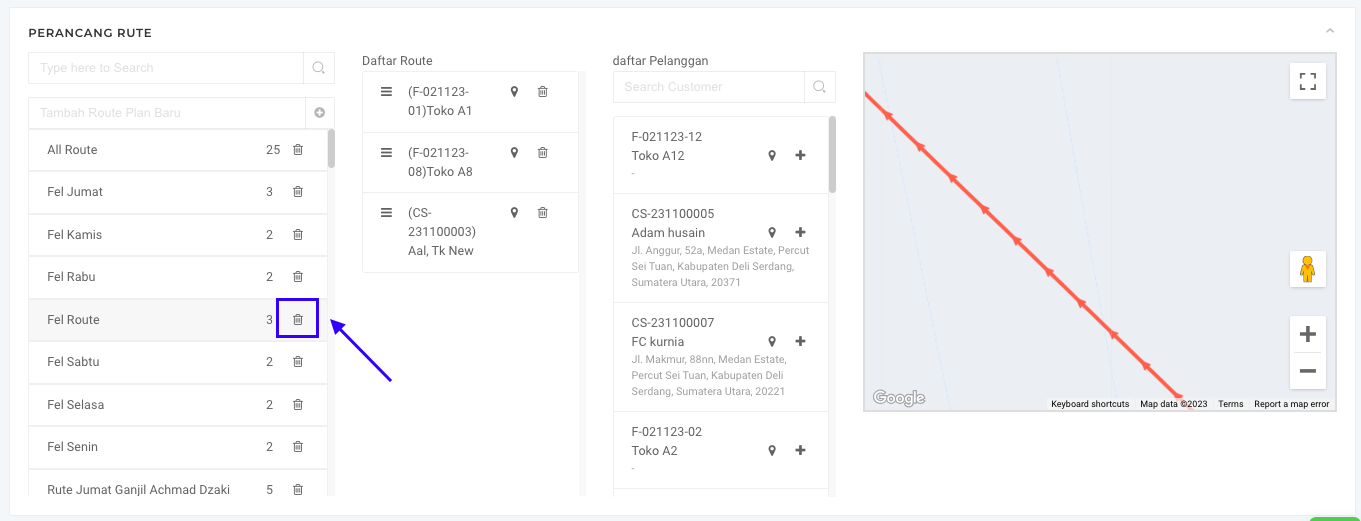
**Step 2:** Klik tombol **Hapus** pada Route yang akan dihapus.
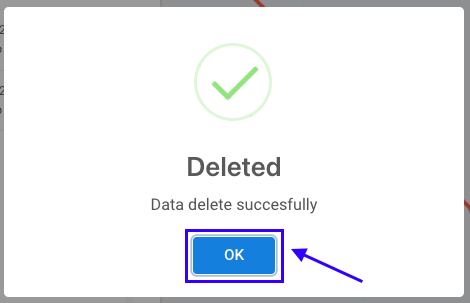
**Step 3:** Akan muncul pop up notifikasi **Deleted**. Kemudian klik tombol **OK**.
**Step 4:** Apabila berhasil menghapus, route yang dihapus akan hilang dari Perancang Route.
Selamat mencoba, Kawan Simpli :)