> For the complete documentation index, see [llms.txt](https://panduan-sap.simplidots.id/llms.txt). Markdown versions of documentation pages are available by appending `.md` to page URLs; this page is available as [Markdown](https://panduan-sap.simplidots.id/sales-automation-platform/smh-sales-management-hub/integrasi/cara-buat-template.md).
# Cara Buat Template
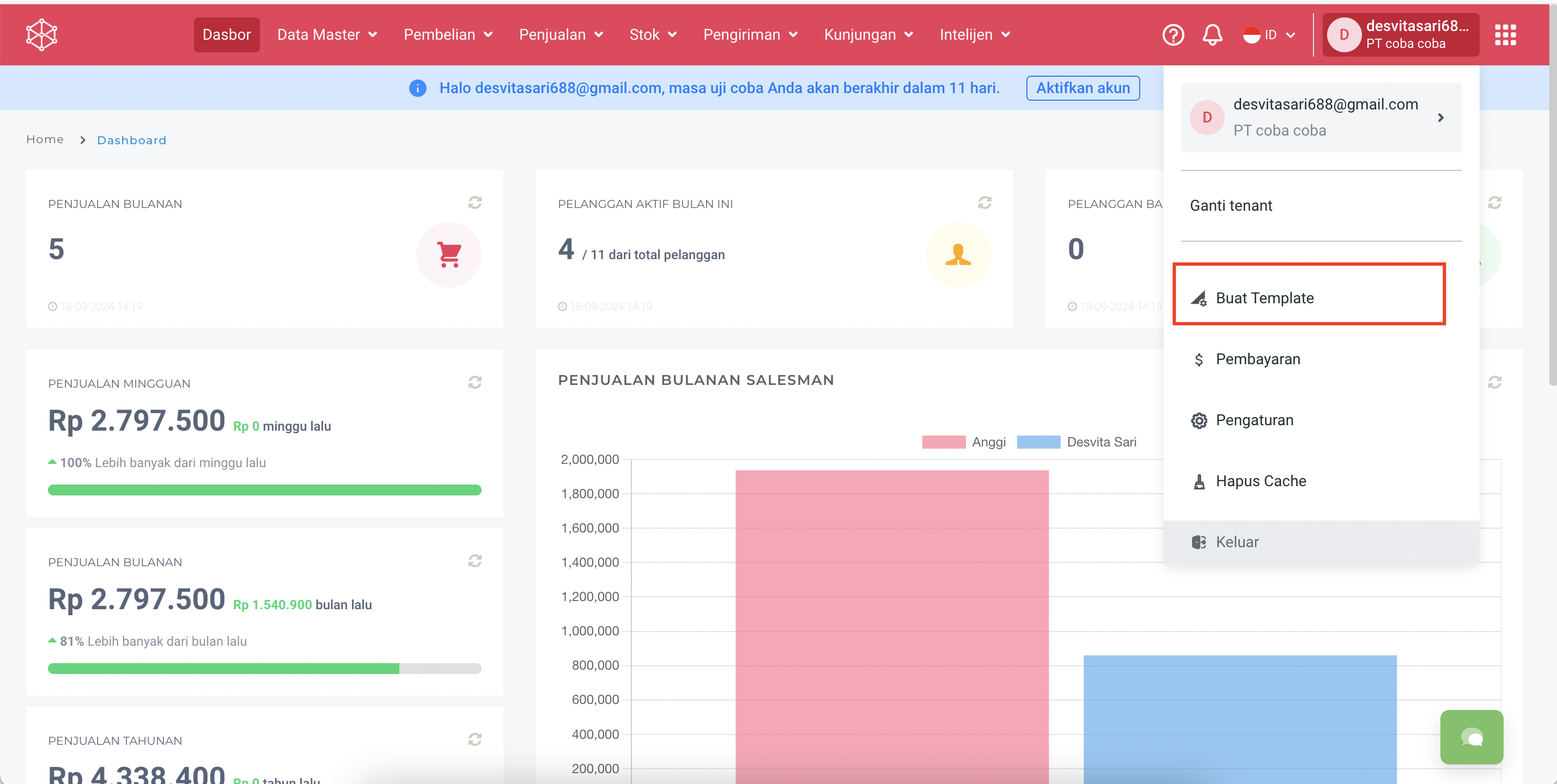
**Step 1.** Buka **Profile**.
**Step 2.** Pilih **Buat Template.**
**Step 3.** Pilih nama **partner** dan **Cabang** (jika ada) sesuai integrasi yang digunakan.
**Step 4.** Kemudian pilih **Generate**.
**Step 5.** Kemudian akan muncul popup message tanda berhasil seperti berikut!