> For the complete documentation index, see [llms.txt](https://panduan-sap.simplidots.id/llms.txt). Markdown versions of documentation pages are available by appending `.md` to page URLs; this page is available as [Markdown](https://panduan-sap.simplidots.id/sales-automation-platform/smh-sales-management-hub/data-master/pegawai/cara-menambahkan-role-group-supervisor.md).
# Cara Menambahkan Role Group Supervisor
Untuk menambah konfigurasi akses khusus Supervisor agar dapat mengakses aplikasi SimpliDOTS Supervision, Anda dapat mengikuti langkah-langkah berikut:
### Cara Menambahkan Role Group Supervisor
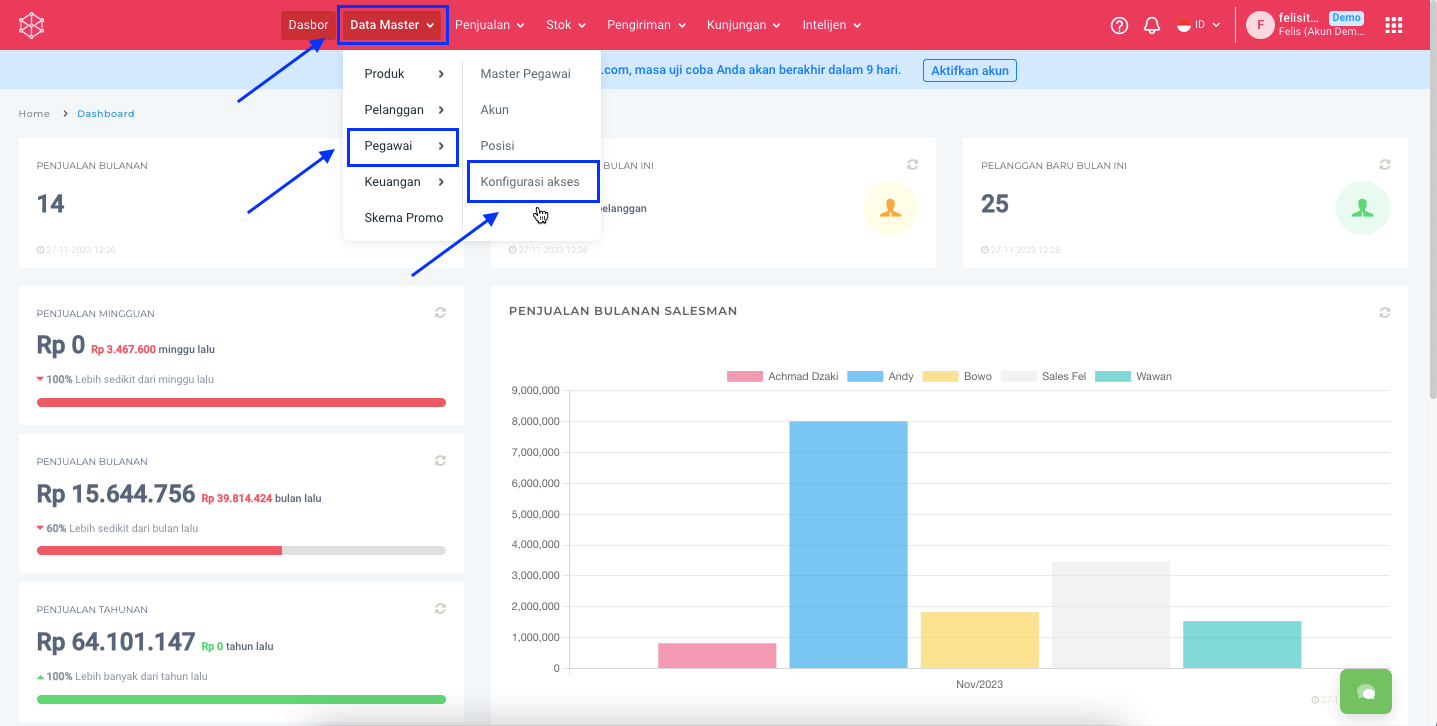
**Step 1:** Masuk ke menu **Data Master > Pegawai > Konfigurasi Akses.**
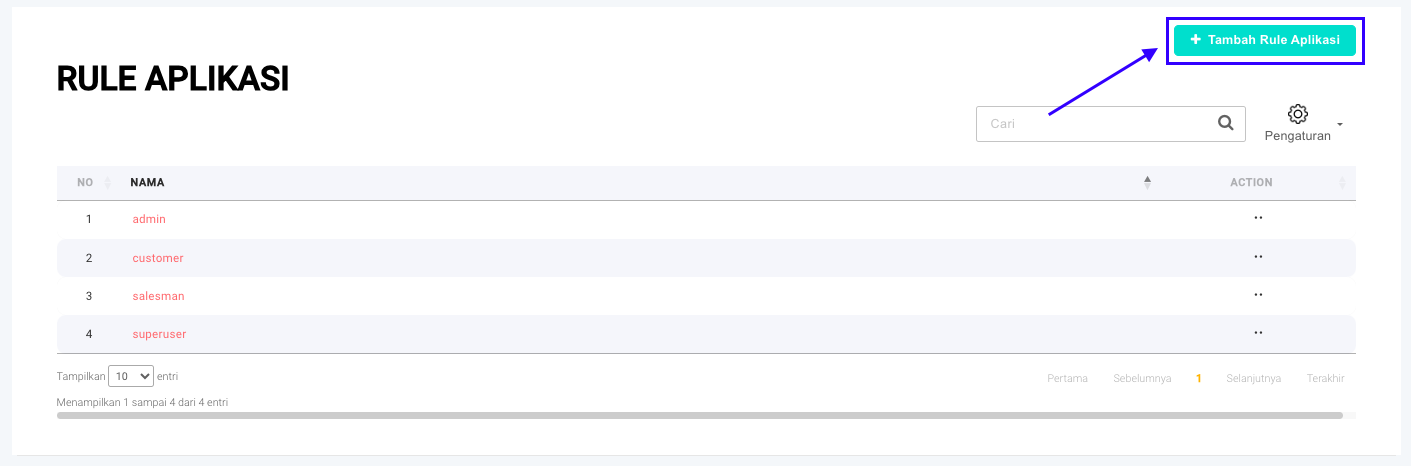
**Step 2:** Klik tombol **+ Tambah Rule Aplikasi**.
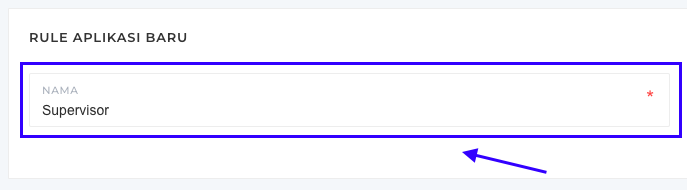
**Step 3.** Isi Nama pada **Rule Aplikasi Baru** yang diinginkan.
**Contoh:** Supervisor
**Step 4.** Adapun minimal akses pada role yang digunakan untuk mengakses aplikasi supervision (SPV). Minimal akses yang dimaksud sebagai berikut:
Beri akses **Control** atau **Read** pada menu berikut dengan cara mencentang :heavy\_check\_mark: ***Control*** atau :heavy\_check\_mark: ***Read:***
* **CONTROL** Product / **READ** Product
* **CONTROL** Sales Order / **READ** Sales Order
* **CONTROL** Customer / **READ** Customer
* **CONTROL** Daily Visit / **READ** Daily Visit
* **CONTROL** Employee / **READ** Employee
* **CONTROL** Position / **READ** Position
* **CONTROL** Delivery Order / **READ** Delivery Order
* **CONTROL** Customer Payment / **READ** Customer Payment
* **CONTROL** Sales Invoice / **READ** Sales Invoice
{% hint style="info" %}
**CONTROL** akan membuat akun user mampu melakukan proses create, read, update, dan delete data.
**READ** hanya dapat membuat akun user melakukan proses *read* data saja.
{% endhint %}
\
Selain untuk mengakses aplikasi Supevisor, apabila Supervisor diberikan akses untuk back office maka beri akses **CONTROL** pada menu berikut:
* Division
* Tax
* Price List
* Route
* Default Setting
* Unit
* Mobile
* Account
* Role Group
* Product Category
* Customer Payment
* Sales Invoice
**Step 5.** Kemudian klik tombol **Simpan**.
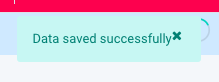
**Step 6:** Rule aplikasi baru **Supervisor** berhasil tersimpan jika muncul popup notifikasi **Data saved successfully.**
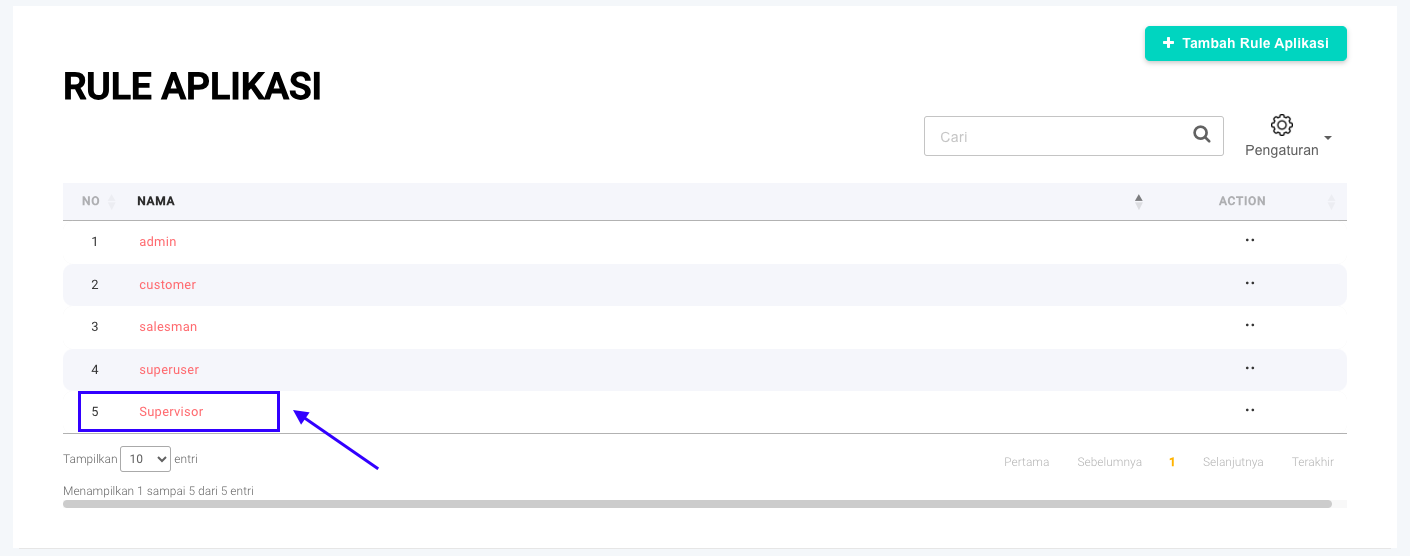
**Step 7:** Rule yang baru saja dibuat akan muncul pada halaman **Rule Aplikasi**.
Selamat mencoba, Kawan Simpli :)