> For the complete documentation index, see [llms.txt](https://panduan-sap.simplidots.id/llms.txt). Markdown versions of documentation pages are available by appending `.md` to page URLs; this page is available as [Markdown](https://panduan-sap.simplidots.id/mobile-application/sfa-sales-force-automation/profil/cara-hapus-semua-data.md).
# Cara Hapus Semua Data
Anda dapat menghapus semua data yang ada di aplikasi dengan langkah berikut ini.
### Cara Menghapus Semua Data (Clear All Data)
{% hint style="warning" %}
**FYI**: \
Hapus semua data bertujuan untuk menghapus semua data berkaitan dengan pesanan penjualan (Sales Order), faktur penjualan (Sales Invoice), dan pembayaran pelanggan (Customer Payment), geo tag, promo, produk, pelanggan dan dasbor. Jika data terkait transaksi tersebut belum dikirim ke backoffice SMH. Maka data tidak dapat kembali lagi. Sebaliknya, jika data sudah terkirim ke backoffice SMH, maka data dapat kembali lagi saat dilakukan [**Sinkron Transaksi & Master Data.** ](/mobile-application/sfa-sales-force-automation/beranda/sinkronisasi-data/cara-sinkron-transaksi-dan-master-data.md)
{% endhint %}
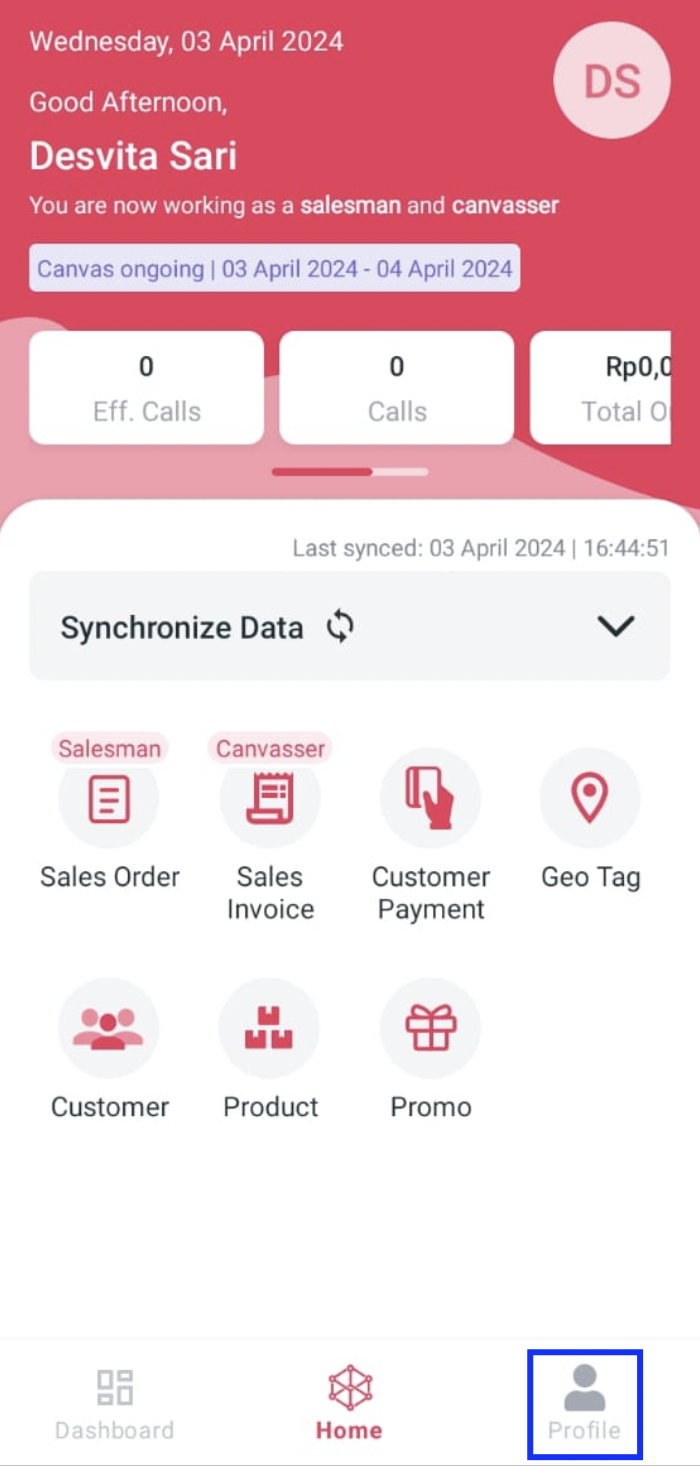
**Step 1:** Masuk ke aplikasi **SFA.**
**Step 2:** Kemudian klik **Profile**.
**Step 3:** Pilih **Hapus semua data.**
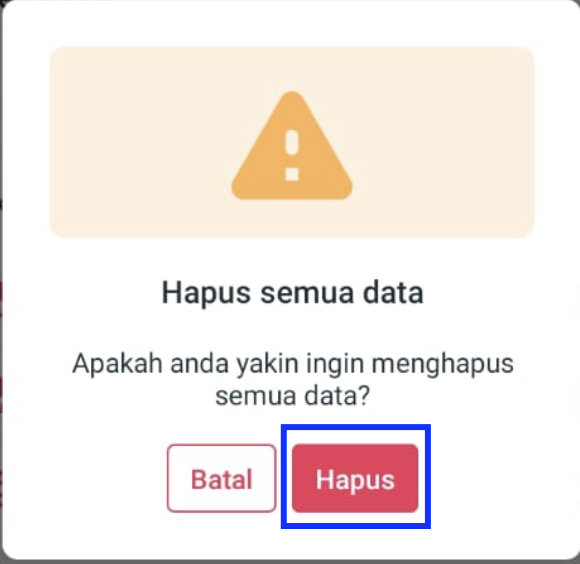
**Step 4:** Saat muncul pop up "Apakah Anda yakin ingin menghapus semua data?", pilih **Hapus.**
**Step 5:** Apabila berhasil akan muncul pop up "Penghapusan data berhasil!", kemudian klik tombol **Sinkron Sekarang**.
**Step 6:** Tunggu proses sinkron selesai hingga muncul pop up "Sinkron berhasil."
Selamat mencoba, Kawan Simpli :)